

How to use quiz funnel templates to launch faster
Learn how to choose, customize, and launch quiz funnel templates for lead generation, client intake, product recommendations, and smart bio funnels without starting from scratch.
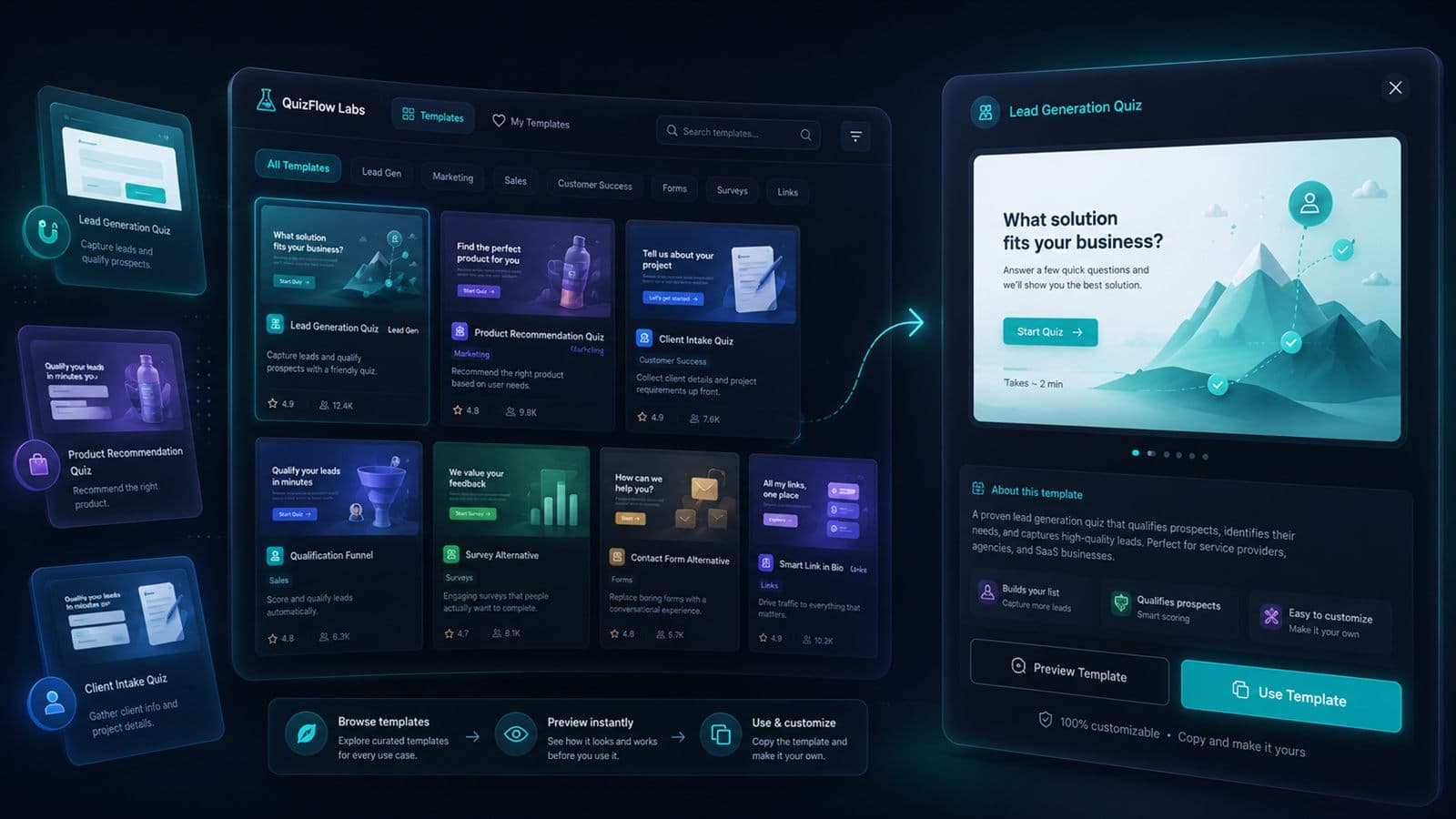
Why templates speed up quiz funnel launches
A good quiz funnel template gives you the structure of a working flow before you write every question from scratch. That structure matters because most launch delays do not come from colors or button labels. They come from deciding what to ask, where to capture leads, how to route people, and what should happen at completion.
Templates help you move faster by starting with a proven workflow: lead generation, client intake, product recommendation, qualification, or smart link-in-bio routing. You still customize the details, but you are not inventing the funnel logic from a blank page.
The best use of a template is not to publish it untouched. It is to borrow the shape of the experience, then adapt the questions, scoring, tags, completion message, and call to action for your audience.
Start with the workflow, not the design
When you browse a quiz template library, it is tempting to choose the page that looks closest to your brand. That is usually the wrong first filter. Visual style is easy to change. The workflow is what determines whether the funnel captures useful intent and moves people to the right next step.
Start by naming the business outcome. Are you trying to qualify a lead, collect intake context, recommend a product, route social traffic, or help visitors choose between services? Once that is clear, choose the template with the closest decision path.
Lead generation
Use when the main goal is to capture qualified contact details and understand intent before follow-up.
Client intake
Use when you need scope, timeline, files, constraints, or service-fit context before the first conversation.
Product recommendation
Use when answers should point visitors toward a product, package, routine, service tier, or offer.
Qualification funnel
Use when you need to segment high-fit, low-fit, urgent, or education-first visitors before handoff.
Smart link-in-bio funnel
Use when social traffic needs a guided path instead of a static list of links.
Choose the right template for your goal
The fastest template choice is usually the one that already matches your visitor's intent. A lead-gen quiz template should not start with long education copy. A client intake quiz template should not behave like a personality quiz. A product recommendation template should include enough preference and constraint questions to make the recommendation feel earned.
Before you customize the template, check whether its default structure matches the moment where visitors arrive. Someone from an ad, a homepage, a social bio, and a referral link may need different levels of context before they are ready to share contact details.
For lead generation quizzes
Look for a template that asks about intent early, collects contact details after value is clear, and ends with a specific CTA.
For client intake quizzes
Look for a template that captures goal, scope, timeline, budget or fit criteria, and files before the handoff.
For product recommendation quizzes
Look for a template that balances preference questions with constraints such as budget, use case, experience level, or desired outcome.
For smart bio funnels
Look for a template that routes social visitors quickly and gives each path a clear next action.
What to customize first
Once you pick a quiz funnel template, start with the pieces that affect conversion and routing. The first question, branching rules, response tags, lead capture step, and completion CTA usually matter more than the visual polish.
A template should make the launch faster, but the funnel still needs to sound like your business. Rewrite the opening question in your customer's language. Replace generic answer choices with the real choices your audience recognizes. Then adjust any logic that changes the path or final recommendation.
Rewrite the first question
The first question should match the visitor's reason for arriving and make the quiz feel immediately relevant.
Update answer choices
Use specific choices your audience would actually say, not generic labels that could apply to any business.
Adjust scoring, tags, and branching
Make sure the answers that matter are connected to the correct path, segment, recommendation, or completion message.
Place lead capture at the right moment
Ask for contact details after the visitor has received enough value or is close to a meaningful result.
Customize the completion CTA
Replace a generic thank-you page with a next action such as booking, requesting a quote, viewing a recommendation, or starting a follow-up.
What not to change too early
A common mistake is to spend the first hour changing colors, icons, and microcopy before the funnel logic is ready. Visual polish matters, but it will not fix a template that asks the wrong questions or routes everyone to the same vague next step.
Keep the template's structure intact long enough to understand why it works. Then change only the pieces that need to match your audience, offer, or qualification process.
Do not remove key qualification questions too quickly
If a question affects fit, routing, or the recommendation, keep it until you know what will replace that signal.
Do not add every possible question
Templates launch faster when they stay focused. Add conditional questions only when the answer changes the next step.
Do not publish with a generic completion screen
The completion moment is where the template should turn answers into action. Personalize it before launch.
Quiz funnel template launch checklist
Use this checklist before publishing a template-based funnel. It keeps the launch focused on workflow quality, not just whether the page looks finished.
1. Pick one funnel goal
Choose lead capture, intake, recommendation, qualification, booking, or social routing as the primary outcome.
2. Match the template to the workflow
Start from the template with the closest question structure and completion action.
3. Rewrite the first screen
Make the intro and first question specific to the visitor's goal, problem, or decision.
4. Update scoring, tags, and branches
Check that important answers trigger the right segment, path, result, or internal follow-up context.
5. Add or tune lead capture
Place contact capture where the value exchange is strongest and collect only the fields you need.
6. Customize the completion CTA
Send visitors to a booking page, recommendation, quote request, resource, or next step that fits their answers.
7. Test every path
Run through the quiz as different visitor types and confirm the right completion message appears.
8. Publish and track results
After launch, watch submissions, leads, and drop-off points so you can improve the flow over time.
When to use a template vs. build from scratch
Use a template when the business workflow is common and the main work is adapting language, offer details, and routing. Most lead generation quizzes, client intake flows, product recommendation quizzes, and smart bio funnels fit this pattern.
Build from scratch when the logic is highly custom, the quiz needs unusual question types, or the experience is central to a larger campaign with unique creative requirements. Even then, a template can still help you plan the structure before creating a fully custom flow.
The practical rule is simple: use templates to avoid blank-page decisions, then customize the moments that affect trust, qualification, and conversion.
Start faster
Choose a quiz funnel template and customize the path.
Browse QuizFlow Labs templates for lead generation, client intake, product recommendations, qualification, and smart bio funnels.
Explore quiz templatesFAQ
What is a quiz funnel template?
A quiz funnel template is a reusable quiz structure built around a specific outcome, such as lead generation, client intake, product recommendation, qualification, or smart link-in-bio routing.
When should I use a template instead of starting from scratch?
Use a template when your funnel matches a common workflow and you want to move faster. Start from scratch when the logic, campaign, or question structure is highly custom.
What should I customize first in a quiz template?
Customize the first question, answer choices, scoring or tags, branching logic, lead capture step, and completion CTA before spending time on visual polish.
Can I use quiz templates for lead generation?
Yes. Lead generation quiz templates are useful when you want to capture contact details, qualify intent, segment visitors, and route people to the right next step.
How long does it take to launch a quiz from a template?
A simple template-based quiz can often be drafted quickly, but launch time depends on how much custom copy, branching logic, scoring, lead capture, and testing your funnel needs.