

How to Write Clear Labels for Your Link-in-Bio Page
The buttons on the page linked from your social media profile should make each next step clear. Learn how to describe destinations, signal commitments and diagnose confusing labels.
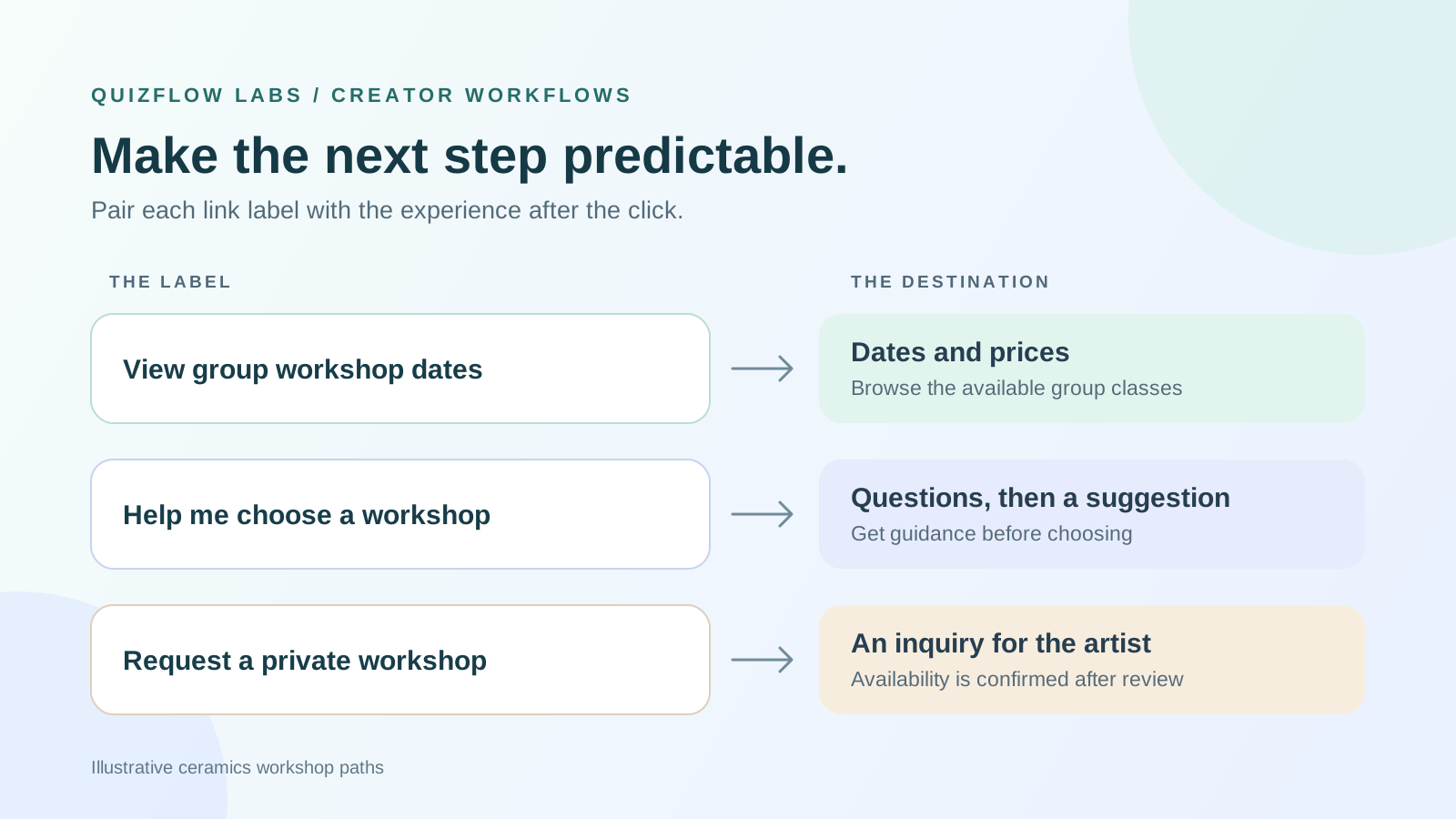
A label is a promise about the next step
A link-in-bio page is the page people reach from the link in your social media profile, such as on Instagram or TikTok. Its buttons help visitors choose where to go next and understand what they will find or be asked to do. A label can attract attention and still fail if it promises a resource but opens a signup form, or suggests a confirmed booking when the next page only accepts an inquiry.
The useful question is not simply whether a label sounds appealing. It is whether someone with a relevant goal can choose the right path and predict what happens next. That gives you a way to judge copy before chasing more clicks.
W3C's guidance on link purpose explains why meaningful link text matters, including for people who navigate through lists of links with assistive technology. On a link-in-bio page, make the main label useful on its own; supporting text can add detail. Clear copy is one part of an accessible experience, alongside the controls and page structure.
Read W3C's guidance on link purposeOpens in a new tabWrite the destination promise first
Before shortening a label, describe its destination in a plain sentence: this opens a page where someone can do a particular thing, with a particular commitment. Inspect the actual page or action while writing it. A URL alone will not tell you whether an old resource now redirects to a sales page. For a private-session inquiry, that sentence might be: this opens a form to request a workshop, with availability confirmed after the artist reviews it. That promise supports “Request a private workshop,” not “Reserve your date.”
Separate the topic from the action. Two links can both concern workshops while serving different needs: checking dates, choosing a suitable class or requesting a private session. A branded workshop name identifies the offer, but may not explain which of those actions comes next.
Choose the detail that would change someone's decision to open the link. A date, format, price or application requirement can matter more than an enthusiastic adjective. You do not need every detail in the label. Put essential purpose in the label and use nearby text for qualifications that would make it unwieldy.
This creates a useful editing test: if removing a word makes two different destinations sound interchangeable, that word may be doing important work. If removing it changes only the tone, it is a stronger candidate to cut.
Match the wording to the commitment
Use the action someone can actually take, rather than the outcome they may eventually achieve. Viewing a service description, submitting a request and reserving a time are different commitments. A visitor should not have to click to discover which one you mean.
For an information page, a descriptive title such as “Workshop dates and prices” can be enough. For a task, an action such as “Request a private workshop” makes the next step clearer. GOV.UK's link-writing guidance makes a similar distinction between links to information and links that start a task.
Reserve “Book” for a path that lets someone make a booking. If the business first reviews an inquiry and confirms availability later, “Request” is more accurate. Reserve “Download” for a path that delivers a file; when someone must register first, explain that step rather than presenting access as immediate.
A guided path needs its own promise. “Help me choose a workshop” suggests a selection process; “Workshop dates” suggests information to browse. If the first path asks questions before giving a recommendation, say so in short supporting text. Only state a question count or completion time after checking the actual flow, including any branching.
Read GOV.UK's guidance on writing effective linksOpens in a new tabKeep the choices distinct without making them cryptic
Read the labels together. “Explore,” “Discover” and “Get started” sound different but do little to distinguish destinations. Replacing all three with longer versions of the same vague promise will not solve the choice. Name what is different: the resource, service or decision.
Lead with words that help people recognize their goal. Keep brand names when visitors need them to identify an offer, but pair an unfamiliar name with a plain description. “Clay Circle membership” gives a newcomer more to work with than “Enter the Circle.” Brand voice can live in the introduction and supporting copy without carrying the whole navigation task.
There is no useful universal word limit. A very short label can conceal the distinction; a long one can bury it. On a narrow screen, check that wrapping still leaves the main action readable and the choices easy to compare. Avoid using an emoji or an image as the only clue to purpose.
If two labels point to the same destination, check whether both promises are fulfilled there. Separate links for a workbook and a workshop should not quietly send everyone to a homepage that makes them search again. Either use more specific destinations or describe the shared page accurately.
An example: three ways to explore a ceramics workshop
Consider a hypothetical ceramic artist offering scheduled group classes and private sessions. The link-in-bio page has three labels: “Make something,” “Find your fit” and “Let's create.” The first opens group dates and prices, the second starts a workshop recommendation flow, and the third opens a private-session inquiry form. The actions differ, but the wording does not explain how.
A clearer set is “View group workshop dates,” “Help me choose a workshop” and “Request a private workshop.” The second can have supporting text explaining that visitors answer questions to get a suggestion. The third can explain that the artist confirms availability after reviewing the request. These details help people distinguish browsing, getting guidance and making an inquiry.
Now inspect the destinations. If the dates page opens with a general studio biography and hides the schedule, the label may be accurate but the handoff is weak. Move the relevant information into an obvious place or link to a more suitable page. If the private-session form actually collects a payment and confirms a reservation, the action has changed and the label should be reconsidered.
The aim is agreement between the choice and the experience. A clever label cannot repair an irrelevant destination, and a useful destination cannot explain itself before the visitor opens it.
Test expectations before asking for preferences
Ask people who resemble the intended audience to use the page for a realistic goal. Describe the goal without repeating the label you want them to choose. Someone looking for group dates should not be instructed to click “View group workshop dates.” That would test recognition of your instruction rather than their ability to choose.
First observe which path they select and why. Then, before they open it, ask what they expect to see and whether they expect to answer questions, share contact details or pay. Open the destination and compare it with that prediction. Asking “Do you like this label?” cannot reveal the same mismatch.
Use two passes if you need to separate wording from presentation. Read the labels without the page to check their basic meaning, then test the whole page to see how headings, order and supporting text affect the choice. Use different participants for these comparisons where possible; reading isolated labels first can teach someone what to look for on the page. A label that works alone can still compete with a misleading neighboring card.
Keep a short record of the goal, selected path, predicted next step and actual destination. A few sessions can uncover specific misunderstandings to repair; they do not establish how often those problems occur across all visitors. After a revision, try the corrected wording with fresh participants where possible, because people who have already seen the destination know the answer.
Read GOV.UK's guide to moderated usability testingOpens in a new tabDiagnose the mismatch before rewriting everything
Different failures need different repairs. Use the point at which expectations break to decide what to change.
The visitor cannot tell the paths apart
Replace shared vague language with the distinction that matters to the visitor. If the destinations themselves overlap, combine or clarify the offers before polishing their names.
The visitor chooses the right topic but predicts the wrong action
Change the action wording and disclose the commitment. A person expecting a price list should not be surprised by a consultation request.
The prediction is right, but the destination seems unrelated
Check the URL, redirects and opening content. Repair the handoff instead of making an already accurate label more persuasive.
The visitor understands the path and declines it
Ask why before treating this as a copy failure. The offer, timing or commitment may be unsuitable. Clear labels should also help people avoid irrelevant paths.
Treat click counts as a clue rather than a verdict. More clicks may reflect better recognition or a broader promise that attracts the wrong people. Fewer clicks may reflect a less appealing label or better filtering. Where you can measure the next meaningful action, compare it with clicks on that same path and investigate the gap. Compare the same group of visits over the same follow-up period; bookings from every channel are not a reliable measure of one link on that page.
Keep the comparison interpretable: note the wording, destination, period and traffic source. A new campaign or a changed booking page can alter behavior even when the label stays the same. Combine these observations with expectation tests before attributing a change to copy alone.
Apply the labels to a guided link-in-bio page
QuizFlow Labs combines direct destinations and guided decisions on a link-in-bio page. In its Bio Funnel builder, a Button can use Redirect URL to open an external destination, while a Smart Button can start the current quiz. Choose the action that delivers the promise, then write the label around that experience.
Keep direct access for a visitor who already knows what they need. Offer a guided path when answers will help determine a suitable next step. Sending everyone through questions adds work for people who only need a schedule or resource; sending everyone to a list leaves undecided visitors to make the comparison alone.
Start with one path whose purpose is hard to explain. Write its destination promise, inspect the action, revise the label and test what someone expects. Repeat for the remaining choices. Recheck the wording whenever the destination, access requirements or offer changes.
See how Bio Funnel blocks and button actions workTurn answers into action
Build a clearer path from your social profile
Use QuizFlow Labs to connect useful direct links with a guided flow for visitors who need help choosing. Start with the decision, then make every label describe the next step.
Create your first flow