

How to Write Help Text for Client Intake Questions
Useful help text resolves a specific uncertainty about an answer. Learn when to add a short instruction, when to rewrite the question and how to tell whether the change helped.
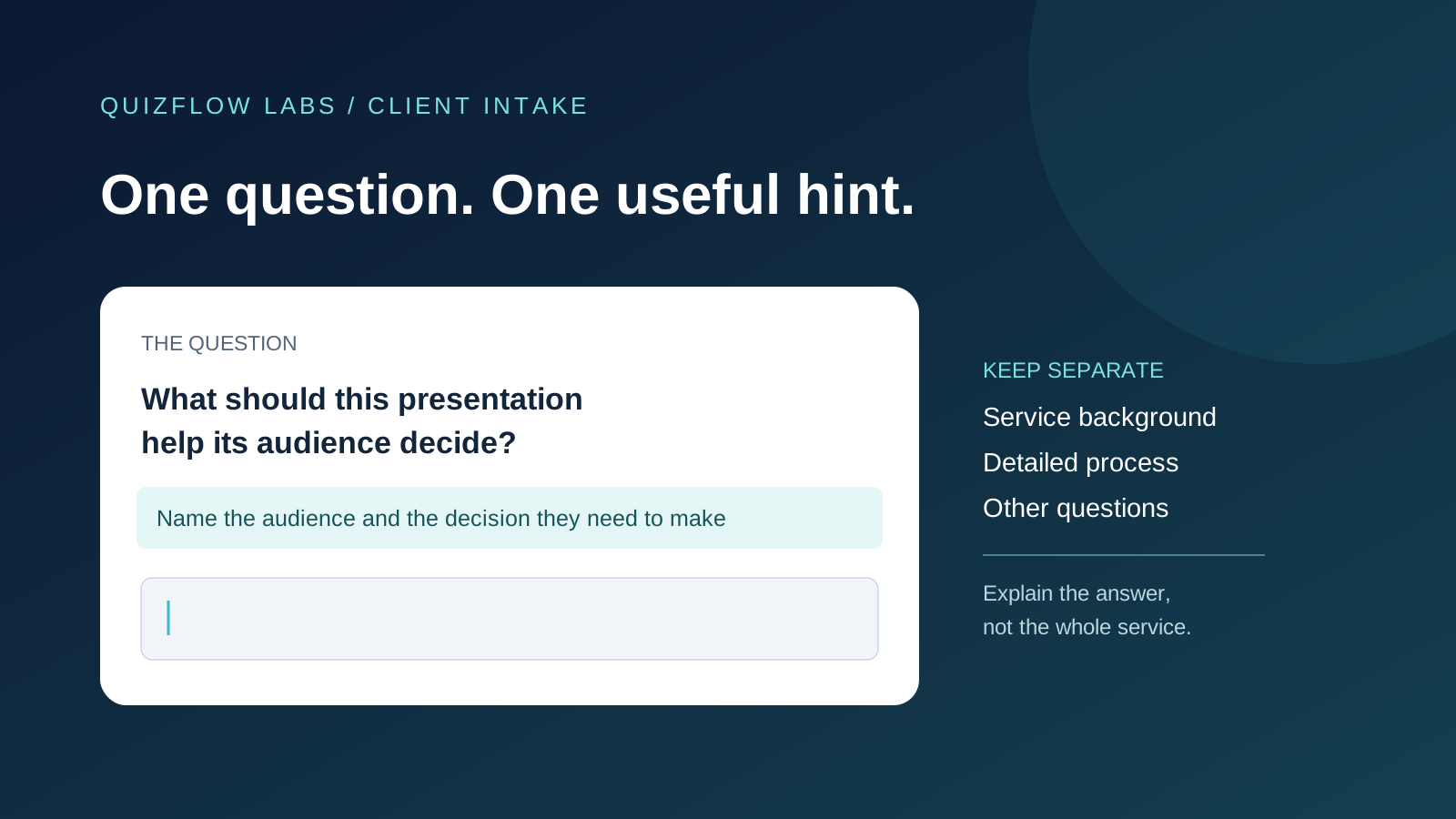
Help text should remove a specific uncertainty
Client intake questions often need a little explanation. A prospective client may understand the words but still be unsure which project to describe, how much detail to provide or whether an estimate is acceptable. The purpose of help text is to resolve that uncertainty before it produces an unusable answer.
More explanation is not automatically more helpful. A paragraph covering your process, preferred clients and service terms can bury the one instruction needed to answer. It can also conceal a question that asks for several different things at once.
Treat the question as the main request and help text as a short supporting instruction. Start by naming the mistake or hesitation the instruction should prevent. If you cannot name one, test the question without the extra text.
Decide whether the problem belongs in the question
Read the question without its supporting text. Can a person tell what information you want? If “Tell us about your project” actually means “What should the finished presentation help its audience decide?”, put that purpose in the question. Help text should not have to reveal what the main request really is.
Next ask whether one answer can reasonably satisfy the request. “What do you need, when do you need it and who approves it?” contains three separate requests. A long hint asking people to remember all three does not fix that structure. Separate them when each answer matters to the next decision.
Keep the distinction that defines the answer in the question itself. “When must the finished presentation be ready?” is clearer than “What is your timeline?” with a hint explaining that you mean final delivery rather than a first draft or presentation date.
DWP’s design guidance recommends improving the question before adding hint text, and keeping hints focused on answering that question. This is a useful discipline for intake: fix the request first, then address the remaining uncertainty.
Read DWP guidance on when to use hint textOpens in a new tabChoose the instruction the answer actually needs
Different uncertainties need different instructions. A scope instruction says which situation to consider: “Describe the presentation you want help with first.” A detail instruction says what information makes the answer usable: “Name the audience and the decision they need to make.” A format instruction explains how to express a value when a particular format is necessary.
A reason for asking can help when the connection to the service is unclear. “We use this to decide which specialist should review your enquiry” explains a real purpose. “This helps us serve you better” does not tell the client what kind of answer is useful. Only describe a use your business will actually make of the information.
An uncertainty instruction can make an honest answer possible: “If the date is not fixed, give your best estimate.” But use it only if the process can accept an estimate. If a confirmed date is necessary to check availability, offer an appropriate next step for someone who does not know it rather than inviting a guess you will treat as firm.
Do not stack all of these instructions under every question. Choose the one that removes the main obstacle. If two or three substantial explanations are essential, reconsider the question’s scope or give the necessary background before asking it.
Keep instructions available while someone answers
A placeholder is the text inside an empty input. It disappears as the person types. That makes it a poor home for a requirement they need to check against their finished answer. Keep the question and necessary instructions available outside the answer area.
W3C’s form-instructions tutorial explains both the disappearance problem and the need to connect instructions to controls for assistive technology. A visible sentence near a field is useful, but proximity alone does not establish that a screen reader will announce it with that field.
When reviewing a form, check the empty state, the partly completed answer and the return visit to an answered question. Can the person still find the instruction? For a custom implementation, also check that the field has an accessible name and that supporting instructions are associated with it. A copy review alone cannot certify accessibility.
GOV.UK’s text-input guidance similarly advises against putting labels, hints or examples inside placeholders. Use the space around the question to explain the task, rather than asking people to remember disappearing text.
A worked example: a presentation design enquiry
Consider a hypothetical designer of presentations that support business decisions. The designer needs enough context to decide whether to offer a discovery call. The initial question is “Tell us about your project.” Its help text asks for background, goals, slide count, budget, deadline, audience and brand guidelines. A long answer could still omit the purpose of the presentation.
The designer changes the question to “What should this presentation help its audience decide?” The supporting instruction is “Name the audience and the decision they need to make.” This narrows the response to the information needed to assess the kind of help requested. The wording does not ask the client to write a full creative brief.
If testing shows people still cannot judge the expected level of detail, add a clearly labeled example: “For example: help regional managers decide whether to fund a pilot.” It illustrates the structure of a useful answer without claiming that every presentation should seek funding. Do not add the example merely to fill space.
The designer asks separately when the finished presentation must be ready, because timing is another fit consideration. Brand files and detailed slide-by-slide instructions can wait until the designer knows whether the enquiry belongs in their service. That choice reduces what the first answer must carry; the help text is no longer compensating for the whole intake process.
There is a tradeoff. The narrower prompt may not capture every concern the client wants to share. If that broader context matters before the call, provide a separate optional invitation for it. Keep that invitation separate so the main question retains a clear purpose.
Use examples without turning them into model answers
An example can clarify the shape of an answer, but its content can also be mistaken for what you want to hear. “We want to double sales” makes revenue sound like the expected goal even when the service also supports training or internal decisions. Choose an example that demonstrates the structure you need, and check whether people think other goals are acceptable.
Distinguish illustration from a rule. If only a particular file type or date format is accepted, state the actual requirement. An example does not define the full set of acceptable answers. Conversely, do not present an arbitrary word count as a limit unless you intend to enforce it. An instruction also does not enforce a restriction: check that any promised acceptance rule matches what the form actually allows.
Avoid examples that invite private details you do not need. An intake explanation can usually describe the business problem without naming an individual customer or copying confidential material. Tell people what context is sufficient rather than demonstrating an unnecessarily revealing answer.
If people repeatedly copy the example with small edits, investigate whether it is constraining their response. They may also happen to share that situation. Ask how they formed the answer before assuming the example caused the pattern.
Test the instruction, then diagnose the remaining problem
Ask a few people who resemble the intended clients to complete the question using a realistic, non-sensitive scenario. Let them answer before explaining the wording. Then ask what they thought the question requested, which instruction they used and what they were unsure about. This is a comprehension check, not a conversion experiment or a representative survey.
Judge the answer against the decision it must support. In the presentation example, can the reviewer identify the audience and intended decision without guessing? A short answer that supplies both can be more useful than a polished paragraph that supplies neither.
If people answer a different question, rewrite the request. If they understand the request but cannot tell how much detail is enough, revise the supporting instruction or example. If they know what is wanted but cannot supply it yet, change when you ask or provide a path for uncertainty. More persuasive wording will not create information the client does not have.
If the answer contains the requested information but reviewers still cannot decide what happens next, inspect the review criteria. Perhaps the business has not defined which projects it accepts. That is a service decision, not a help-text problem.
After revising, repeat the task and check the affected misunderstanding. Where possible, include people who have not seen the earlier wording, so familiarity does not hide a problem. Later, review a permitted sample of intake answers for missing context and necessary follow-up. Record what changed in the question and how the answers were assessed. A completion-rate change alone cannot tell you whether the answers became more useful or whether the audience changed.
Apply the same discipline in a QuizFlow intake flow
QuizFlow Labs supports Text Response blocks for answers in the participant’s own words. Use one for context that a reviewer needs to understand, such as the purpose of a presentation. Write a focused prompt and check the complete question as it appears to the participant.
When routing depends on a fixed choice rather than a written explanation, use a suitable structured question instead of relying on help text to make every free-text answer predictable. Keep the explanation close to the decision it supports, and test the actual flow on a phone as well as a larger screen.
Start with the question that currently creates the most clarification work. Identify the missing distinction, repair the main request and add only the instruction needed to answer it. The aim is an answer that supports a useful next step, not simply a longer answer.
Learn when to use a Text Response blockTurn answers into action
Build a clearer client intake flow
Use QuizFlow Labs to collect useful context and guide prospective clients toward the right next step.
Start building